AI architecture and interior design workspace

Free AI Floor Plan Generator: Create 2D & 3D Layouts Instantly

Generate your dream floor plan and turn room images, 3D views, or design references into 2D planning concepts in minutes. Free, accurate, and easy to use.

01
Choose a mode Start from room parameters or switch to image-to-plan conversion.
02
Add your input Enter plot details, room counts, or upload a 3D view.
03
Review the output Compare the generated layout and refine your planning brief.
Live today 10,000+ plans generated today
Trusted beta workspace Launch beta: free access Fair-use beta access Browser-based AI tools

AI Parameter Floor Plan

Generate floor plans by plot size, bedroom count, bathroom count, and other requirements.

Tool 1
AI engine is starting, please wait... Loading the parameterized floor plan generator.

Free beta access is intended for normal design exploration. Automated abuse, excessive requests, or suspicious usage may result in temporary IP restrictions.

Is This AI Floor Plan Tool Right for Your Project?

Scan the essentials in seconds. If your project starts with room requirements, a property photo, or a 3D view, this tool can turn the idea into a clearer planning reference.

Who

For people planning space

Homeowners, designers, agents, renovation planners, and students can explore layouts without starting in CAD.

What

Generate plans or convert images

Create a 2D floor plan from requirements, or turn a 3D view, room photo, or interior image into a 2D reference.

Where

Use it across real projects

Helpful for apartments, renovations, listings, furniture planning, small-space studies, and early architecture concepts.

Why

Move faster with less guesswork

Compare layout ideas, reduce blank-page friction, and give every stakeholder a shared visual reference.

When

Start before the expensive stage

Use it before remodeling, buying furniture, briefing a designer, evaluating a property, or refining a reference image.

Turn Inputs into Usable Planning Outputs

Instead of reading about features one by one, think in project moves: what you have now, and what the AI can help you produce next.

01 Processed in: 15s
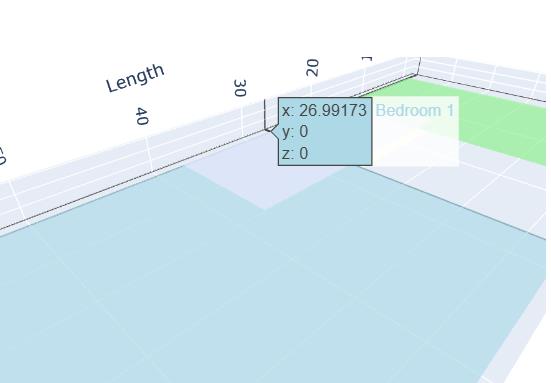
AI generated 3D floor plan preview from room parameters

From Plot Size to Floor Plan

Start with a site size and room requirements, then generate a layout direction you can review, compare, and refine.

Input 30 x 40 ft lot, 3 bedrooms, 2 baths, open living area
Output Room zoning, circulation, and a structured 3D plan concept
02 Style: Image to 2D
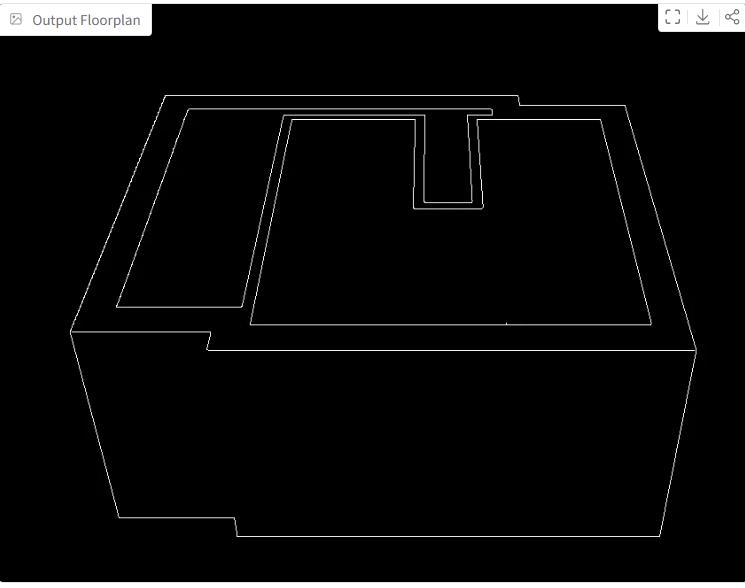
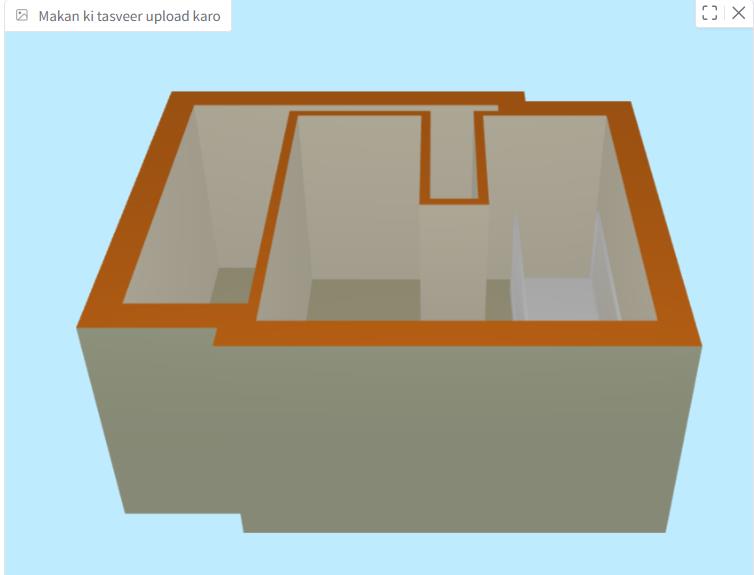
Before 3D room view before AI floor plan conversion
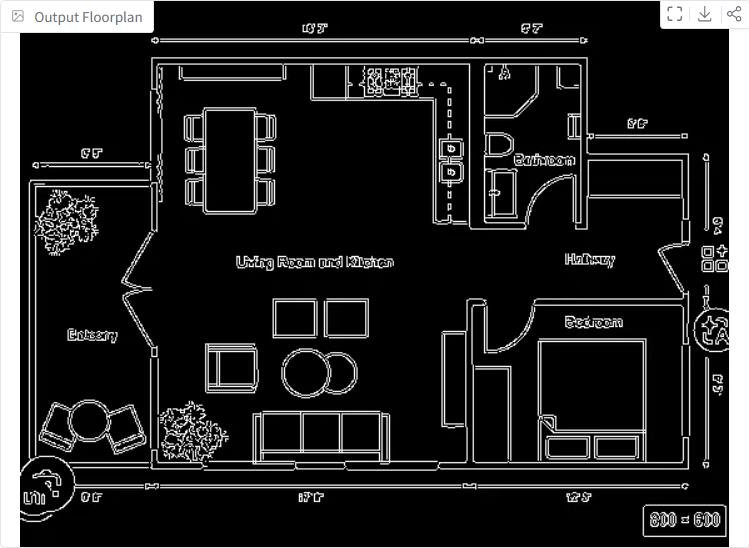
After AI converted 2D floor plan output from 3D room view

From Room Photo to 2D Layout

Use an existing room image, 3D view, or interior reference as the starting point for a clearer floor plan reference.

Input Living room photo, virtual staging image, or 3D interior view
Output Walls, openings, furniture zones, and approximate room flow
03 Output: Designer brief
Annotated 2D floor plan output with room labels and measurements

From Messy Idea to Designer Brief

Turn early thoughts into a shareable visual direction before asking a designer, contractor, or partner for feedback.

Input Needs, constraints, reference images, and layout preferences
Output A clearer planning brief for faster, more focused discussions

Everything You Need to Know About AI Floor Plan Generators

An AI floor plan generator is a digital design assistant that uses machine learning, spatial rules, and visual generation models to help users create early-stage architecture and interior design concepts. With a free AI floor plan workflow, you can describe a plot size, choose bedrooms and bathrooms, add lifestyle priorities, and quickly explore layout ideas that would normally require several rounds of manual sketching. These tools are especially useful for homeowners planning renovations, interior designers preparing layout directions, real estate marketers organizing property visuals, and small architecture teams validating concepts before detailed CAD work. AI does not replace licensed professionals for structural design, local code compliance, or final construction documents, but it dramatically improves the ideation stage. It helps users compare options, understand room relationships, convert room images into 2D planning references, and communicate design intent with less friction. For best results, treat AI-generated layouts as a creative starting point, then refine dimensions, circulation, materials, lighting, and safety requirements with expert review.
Frequently Asked Questions

Is AI floor plan design accurate?

AI floor plan design can be accurate for early concept planning, room relationships, and visual exploration, especially when you provide clear dimensions and requirements. Final measurements, structural details, local building codes, accessibility rules, and construction documents should still be reviewed by a qualified professional.

Try it now
Can I use this tool for free?

Yes. This page is designed around free AI floor plan and image-to-plan tools embedded from Hugging Face Spaces. Availability, queue times, and model limits may depend on the hosted Space, but the front-end page itself does not require payment or account setup.

Try it now
How do I export my generated floor plan?

Most embedded AI tools provide a download button, generated image preview, or browser save option after the floor plan is complete. If the embedded tool does not expose a direct export button, you can usually open the result image in a new tab or save the displayed output from the browser.

Try it now
Can AI convert a 3D view or room photo into a 2D floor plan?

Yes. AI can interpret many 3D views, room photos, interior references, and design images, then generate a simplified 2D floor plan concept. Cleaner input images with visible walls, doors, openings, and furniture zones usually produce better results.

Try it now

About, Privacy Policy & Terms of Service